React Native A/B testing without repeat app-store releases.
Run React Native A/B tests across iOS and Android after a one-time SDK integration. Diti gives product, growth, and design teams a focused workspace to create, preview, and measure supported UI experiments without a new release for every variation.
✓Preview a variation before it reaches an eligible audience.
✓Target an instrumented screen, allocate traffic, and evaluate a pre-defined goal.
✓Keep iOS and Android experiment delivery in one workflow.
The boundary
Engineering still owns new capabilities
—Engineering completes the initial SDK and instrumentation setup.
—New backend behavior, payment logic, native integrations, and unshipped capabilities stay in the release process.
—Every variation still needs normal QA before launch.
—Only controls exposed in the shipped app can be changed remotely.
A practical workflow
01
Connect once
Add the SDK and declare the supported controls in your React Native build.
02
Build and QA
Create a focused variation, preview it on the intended screen, and confirm its audience and goal.
03
Launch and learn
Deliver the approved variation to eligible users and evaluate the result before deciding what ships.
See the workspace
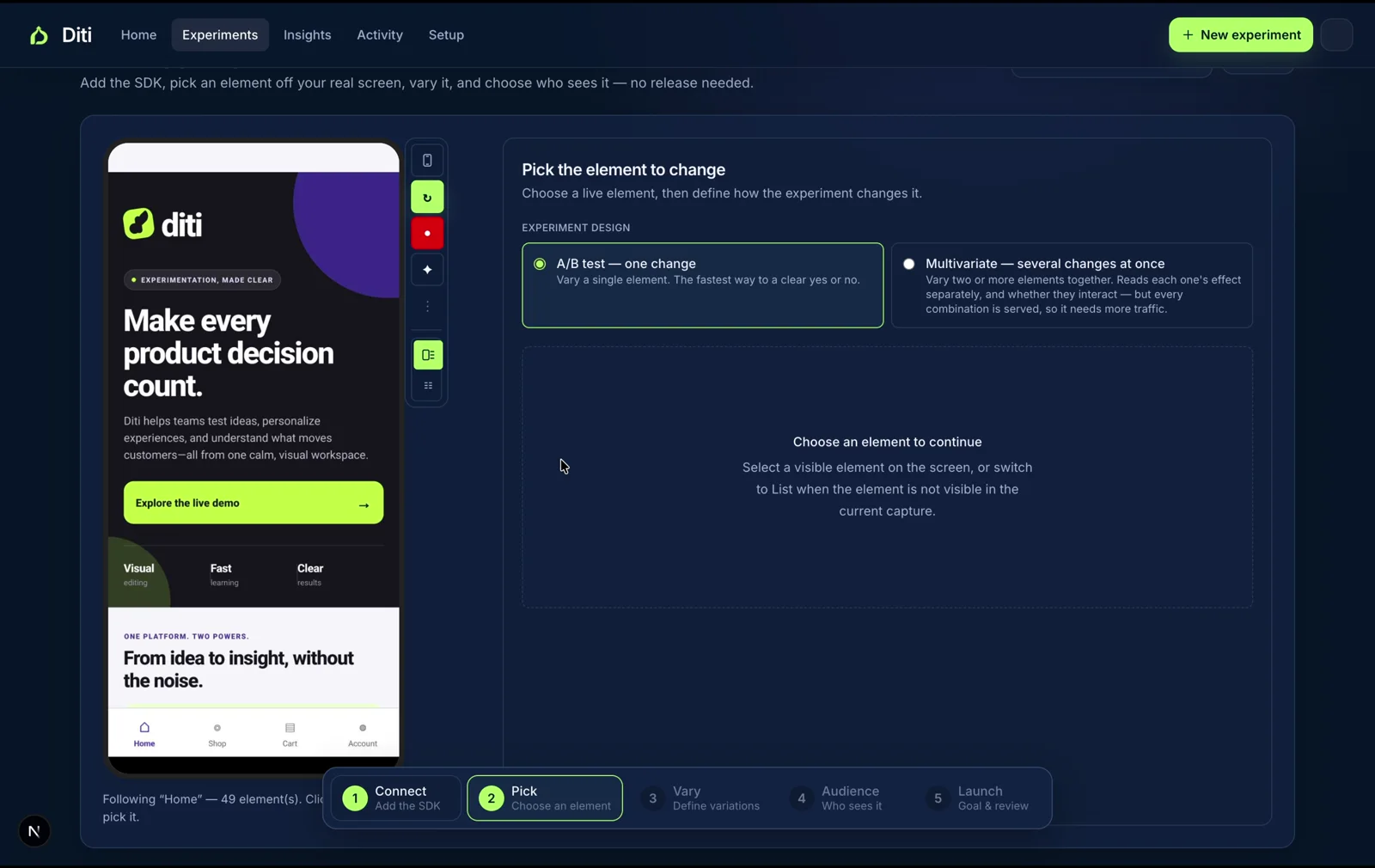
Choose a React Native element, then create the variation.
The workspace pairs a live app preview with the experiment setup, so the team can select an eligible element, define one focused change, and verify the experience before it reaches customers.
Select a control directly from the preview, choose the experiment type, and move from SDK connection through launch in one guided workflow.
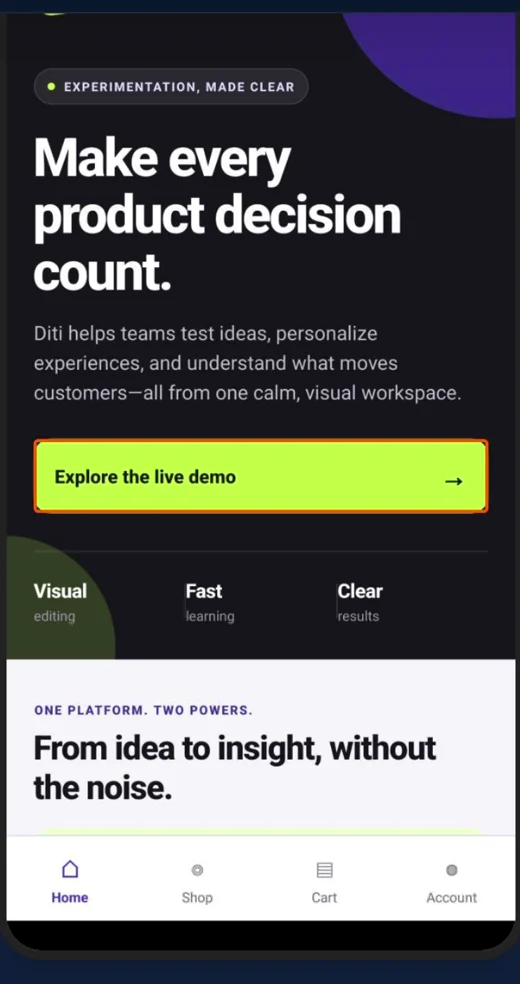
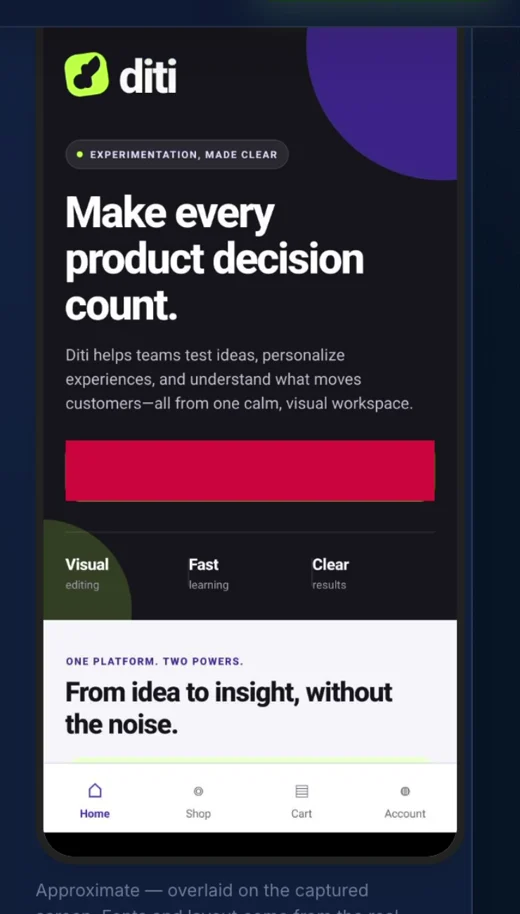
Control and variation preview
Compare the shipped UI with the test experience before launch.
Control · shipped UI
Variation · preview
React Native SDK
Install once, then run a real experiment.
Diti keeps the shipped value in your app and resolves a variation only when an eligible experiment owns that control. That means the first render has a safe fallback if the device is offline, the config has not loaded yet, or the experiment is paused.
1. Install
npm install @diti/sdk
Add the provider near the root of the app. The account and app IDs identify the configuration this build can receive.
In Diti, create an onboarding experiment that overrides onboarding.headline for the variation and uses onboarding_completed as its conversion event. Reading the control records an exposure only when that screen is reached, so the test measures people who could actually see the experience.
Supported controls
What you can change without another release.
Copy and dynamic text
Test headlines, descriptions, button labels, empty states, and other instrumented text while retaining a shipped fallback.
Images and visibility
Swap an instrumented image URL or show and hide an eligible element, such as a promotion, education prompt, or reassurance message.
Styles
Adjust supported style values for an instrumented element, including presentation choices such as color, spacing, and typography.
Sections and layout
Swap compatible existing sections or reorder children in an instrumented home-screen or discovery layout; the app still supplies every section.
Navigation
Test eligible, instrumented button destinations among routes already present in the installed app—never a new screen or behavior.
Measurement
Use automatic exposure tracking on control reads plus named conversion events, impressions, and supported press events to judge the result.
Common use cases
Use app traffic to answer a focused product question.
Onboarding
Compare a clearer value proposition, a shorter explanation, or a different next-step label. Measure completed onboarding and watch activation as a guardrail.
Paywall copy
Test the benefit framing, plan explanation, or call to action around an existing paywall. Keep pricing, purchase logic, and entitlement handling in the released app.
Home-screen order
Reorder existing sections—such as recently viewed, recommendations, and promotions—to learn which arrangement improves product discovery or engagement.
Compare approaches
Diti vs. feature flags, remote config, and experimentation platforms.
The best choice depends on who owns the change and what is changing. Diti is built for supported React Native UI experiments; it is not a replacement for an engineering-led feature-management system.
Approach
Usually a good fit when
Where Diti differs
Firebase A/B Testing
Your app already centers on Firebase, Remote Config, and Firebase Analytics.
Diti focuses on a visual, supported-control workflow for React Native UI experiments, including preview and QA for product teams.
Statsig
You need a broad engineering, analytics, feature-gate, and experimentation platform.
Diti narrows the job to repeatable customer-facing UI tests after the app has been instrumented.
GrowthBook
You want an open-source or warehouse-centered experimentation workflow.
Diti emphasizes a no-code visual workflow and device-level preview for supported React Native experiences.
Remote config + feature flags
Engineering is shipping new behavior, backend logic, kill switches, or controlled rollouts.
Diti complements that foundation for UI learning; it does not replace code-defined rollout controls or backend safeguards.
Questions, answered
What is React Native A/B testing?
React Native A/B testing compares two supported in-app experiences for eligible users, then measures a predefined outcome. It helps teams learn which interface, message, or flow better supports a customer decision.
Do I need an app-store release for every Diti test?
No. Supported UI variations can be delivered without a separate release for every experiment. The initial integration and any new app capability remain part of engineering's normal release process.
Can a non-engineer create a React Native experiment?
After setup, product, growth, and design teams can create supported UI variations from Diti's workspace. The team should still follow its normal QA and approval process.
Does Diti work on both iOS and Android?
Yes. Diti's React Native workflow supports experiments for iOS, Android, or both on supported app builds.
Make the next mobile decision with evidence.
Bring a real React Native screen and hypothesis to Diti, and see whether the workflow fits your team before you commit to a larger experimentation program.